
Private room booking for a shared office
Book the room.
Skip the ceremony.
SyncApp.AI runs the meeting rooms of one shared office: live availability on the web, a QR code on every door, and automatic no-show release for reserved rooms. No user accounts, no installs, no tracking — booking takes about fifteen seconds.
Running in production for one Mountain View shared office · pilots for other offices by conversation.
What it is
A booking system that fits in a hallway pause
SyncApp.AI is the room layer for one shared office — built so grabbing a room takes less time than asking whether it's free.
One office, all its rooms
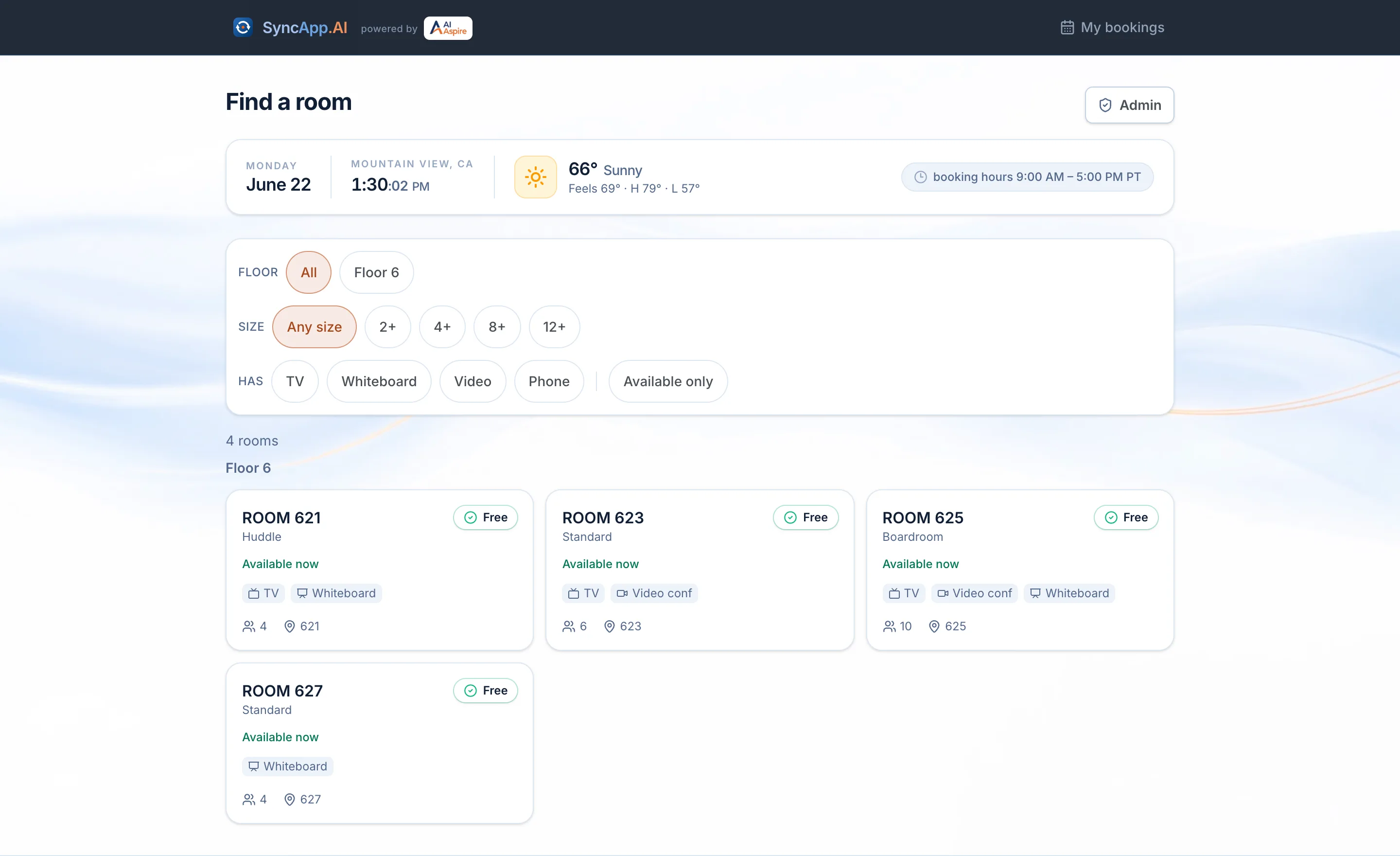
Every room on one grid with a live status — free, reserved, in use — on a 15-minute grid, plus the date, a ticking office clock, and the weather.
Two ways in
Book from any browser, or scan the QR on the door you're standing at. The door page knows its own room and books it in one tap.
Nobody signs up
Bookers are trusted on first use: type a name and email once. A signed device cookie and a signed email link manage the booking afterward — never a password.
How booking works
Two modes, one honest rule
Check-in is keyed to intent: booking a room you're using right now needs no ceremony, while a room reserved for later has to be claimed — or given back.
Book now
You’re using it this second
Pick a length, tap once — from the room grid or the QR at the door — and the room is yours already checked in. No check-in ceremony for a room you’re standing in, and no release timer ticking against you.
- A confirmation email lands immediately, calendar file attached.
- Wrong length? Change the end time or release the room right from the confirmation.
- About three-quarters through, a “need more time?” email offers an extend — or a one-tap release.
Reserve ahead
Later today, or any day the office allows
Pick a start and end on the 15-minute grid — a month calendar opens for future days. Reserved rooms are held to a simple promise: check in, or the room frees itself 15 minutes in. That promise is what keeps “booked but empty” rooms from existing here.
What happens to a reserved room
T−15 minReminder email
A nudge with the room, the time, and a one-tap check-in link.
T−10 minCheck-in opens
From the confirmation email, the booking page, or the QR on the door.
StartNot checked in yet? One more nudge
The room is still yours — the email says exactly how long.
T+10 minFinal warning
Five minutes left to check in before the room frees itself.
T+15 minReleased as a no-show
The slot opens for everyone else, and the booker is told.
Checking in at any point stops the countdown for good. And this timeline only exists for rooms reserved ahead of time — a book-now booking starts already checked in.
The door
The room's front door is its booking page
Each room gets a printable QR sign. Scanning it opens that room's kiosk — a traffic-light screen that can book, check in, and tell you exactly when a busy room frees up.
ROOM 621
Huddle 621 up to 4
Available
free until 2:45 PM
How long do you need it?
A working simulation of the door screen — tap through it. The real one runs on the phone that scans the door’s QR code.
The details
Small features that keep rooms moving
Minutes, not hour blocks
10 minutes to 8 hours on a 15-minute grid — a quick huddle doesn't cost the room an hour.
Book ahead
Any future office day from a month calendar. Admins can cap how far ahead — or leave it open.
My bookings, no login
Every booking made on your device, listed with one-tap check-in and cancel. A signed cookie, not an account.
Email that does the work
Confirmations with calendar files, reminders, and one-click check-in, extend, and release links.
Notes reach the office team
"Need the projector cable" rides along with the booking and alerts the admins who opted in.
Door signs from the dashboard
Print a QR sign per room. Lose a poster? Rotate the code and the old one dies instantly.
The office sets the dials
Booking hours, advance limits, an optional access code, form fields, company list — all admin-toggled, no deploys.
The glance strip
Date, a live office clock, and local weather above the grid — the room screen you'd check on the way in.
For the office admin
Set it up in an afternoon
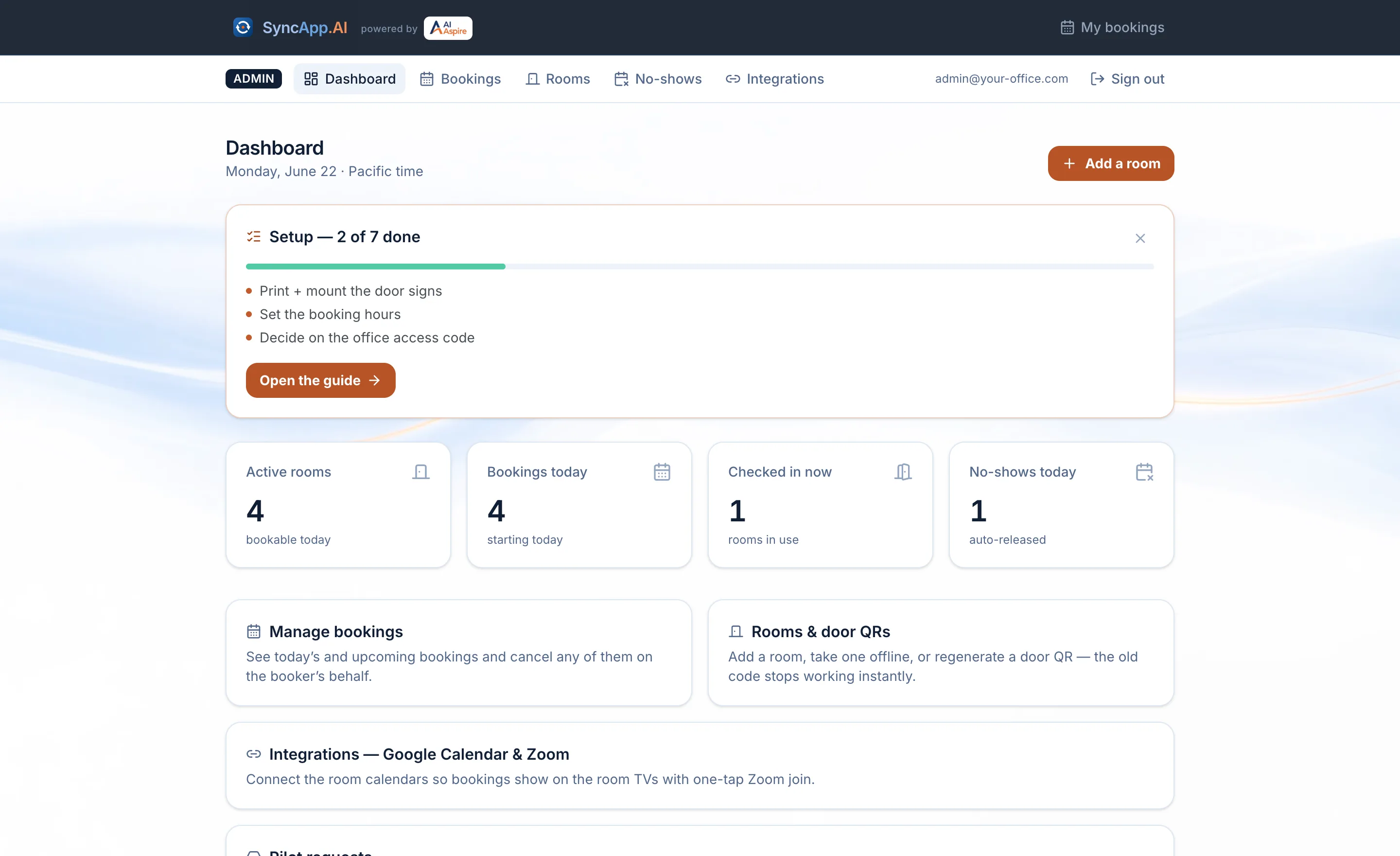
Rooms, signs, and rules all live in one dashboard. Nothing here needs a developer or a deploy.
Sign in
Admins get a 6-digit email code — no password to invent. Every mailbox on the office's admin domain is in automatically.
Add your rooms
Name, capacity, type, amenities, an optional floor. Each room is born with its own door QR code.
Print the door signs
One printable sign per room, QR included, straight from the dashboard. Tape it to the door — that's the install.
Tune the dials
Booking hours, advance limit, the optional office access code, phone field, company list, who gets special-request alerts.
A guided checklist in the dashboard tracks these exact steps — it checks the detectable ones off by itself and gets out of the way when you’re done.
Privacy & security
Private by construction
A booking tool sees who meets whom, and when. This one is built to know as little as possible about that.
No analytics, no trackers
Zero third-party scripts, pixels, or profiling. The only cookies are the two signed, httpOnly ones that make booking work.
No booker accounts
Nobody invents a password to book a room. Proof of ownership is a signed link in your email or the signed cookie on your device.
Locked-down database
Row-level security denies everything by default; the only path to data is the server, after its own checks.
Door codes that can die
Every QR token is cryptographically signed. Rotate a room's code from the dashboard and the old poster stops working mid-scan.
Abuse has a ceiling
Public forms sit behind per-IP rate limits and an invisible bot wall — and fail open, so an outage never blocks a real booking.
Built to WCAG 2.1 AA
Keyboard and screen-reader tested, contrast-audited in every theme, and reduced-motion preferences are respected throughout.
The long versions live at Privacy, Data & security and Accessibility.
Questions
The things people ask first
Do I need to install anything to book a room?
What happens if I book a room and nobody shows up?
What notifications do bookers get?
Does it sync with Google Calendar or the Zoom room displays?
What data does it collect?
Can people outside the office book rooms?
Could this run in my office?
Get in touch
Want this in your office?
SyncApp.AI runs one office today, and we’re piloting it beyond that by conversation — no pricing page, no checkout, just a chat about your rooms. Tell us a little about your office and a human replies by email.
Prefer plain email? hello@syncapp.ai works too.